
The 4 Essential Commercial Security System Components Every Business Needs
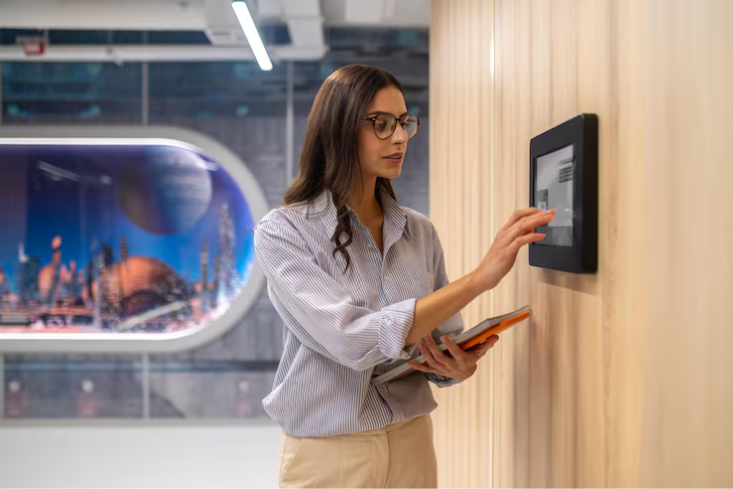
Protecting a business takes more than locking the doors at closing time. Real protection comes from several technologies working together to lower risk, improve awareness, and speed up response when something goes wrong.
The main commercial security system components are access control, intrusion detection, video surveillance, and 24/7 monitoring. Once you understand how each one works and how they support each other it becomes far easier to build a system that fits your building, your people, and your budget.
At Maxemum Security, businesses across Canada rely on professionally planned systems that match how they actually operate, not a one-size-fits-all package. This guide walks through the four core pieces, shows how they work as one, and explains what to look for when you invest.
What are the four components of a commercial security system?
A commercial security system has four core parts: access control to manage who enters, intrusion detection to catch unauthorized entry, video surveillance to record activity, and professional monitoring for round-the-clock response. Used together, they protect people, property, and assets far better than any single device.
Why Every Business Needs a Complete Security System
Businesses deal with a wide range of threats: unauthorized access, theft, vandalism, workplace incidents, and property damage. One device can help with one problem. It can't cover everything on its own.
The risk picture has also shifted in ways worth understanding. Statistics Canada reported that police-reported crime, measured by the Crime Severity Index, fell 4.9% to 75.0 in 2025, with breaking and entering down about 11% to roughly 121,000 incidents nationwide. That sounds like good news for business owners and in some ways it is.
But lower break-in numbers don't mean lower risk. The Retail Council of Canada estimates that Canadian retailers lost about $9.1 billion to theft and shrink in 2024, up from roughly $5 billion in 2018. Shrink now sits at around 1.5% of total retail sales.
Just as concerning, more than three-quarters of retailers in the RCC's survey reported increased violence during theft incidents, and about 45% of organized retail crime incidents in 2024 involved violence against staff or customers. In other words, the threat has moved from simple after-hours break-ins toward organized theft, internal loss, and safety risks to your team during business hours.
A complete security solution answers this new reality. It combines several technologies that talk to one another, so you can control entry points, watch activity, get instant alerts, and record what matters. When these tools work together, you gain wider visibility and faster response across the whole property.
The right mix depends on your building layout, how you operate, and how much protection you need. A well-planned system also helps you meet internal policies and industry regulations — which matters more in some sectors than others.
The Four Core Commercial Security System Components
Every strong security solution is built on four technologies. Layered together, they close the gaps that a single product leaves open.
| Component | Purpose | Main Benefit | Example in Use |
|---|---|---|---|
| Access Control | Manage who enters and when | Stops unauthorized entry | Locking a server room to IT staff only |
| Intrusion Detection | Detect unauthorized entry | Immediate alerts | Sensors on a warehouse shipping door after hours |
| Video Surveillance | Monitor and record activity | Provides evidence | POS cameras over retail checkout lanes |
| Professional Monitoring | Verify and respond | 24/7 protection | Trained operators dispatching help at 3 a.m. |
Here's how each one works, and where it earns its place.
1. Access Control Systems
Access control is the first line of defence for most commercial properties. Instead of relying on traditional keys, commercial access control systems let you decide exactly who enters each area, and when.
Staff can use key cards, mobile credentials, PIN codes, or biometric verification to get in. When a role changes, you update permissions in minutes. When someone leaves the company, you remove their access right away no chasing down lost keys.
Access control also creates a digital record of who went where and when. That log becomes valuable during an investigation, an audit, or a simple "who opened the stock room last night?" question.
The strength of a good access system is precision. A hospital can limit its medication storage room to licensed staff. A school can lock exterior doors during class hours while still allowing quick emergency egress. An office can keep its server room and records room open only to the few people who need them.
Benefits of Access Control
Restricts sensitive areas to authorized people only.
Records entry and exit activity automatically.
Removes the risk that comes with lost or copied keys.
Lets you grant, change, or revoke access instantly.
Modern commercial security design often puts access control at the centre of the plan, because it protects sensitive zones while making day-to-day management easier.
Why Access Control Matters Across Industries
Every industry weighs risk differently, so access needs vary widely:
Office buildings protect confidential data, server rooms, and executive floors, and manage visitor check-in at reception.
Warehouses control loading docks, shipping doors, and inventory cages where high-value stock is stored.
Healthcare facilities restrict medication storage, patient areas, and records rooms to specific staff.
Schools rely on controlled single-point entry and door-locking that supports emergency lockdowns.
Manufacturing plants keep staff out of hazardous zones and protect expensive equipment from untrained access.
Retail stores limit back-office, cash-handling, and stock areas to trusted employees.
An effective system lets you assign permissions based on each person's role. That improves both security and accountability you always know who could have been where.
2. Intrusion Detection and Business Alarm Systems
Even with strong access control, you still need a reliable way to catch unauthorized entry. Business alarm systems use sensors to spot suspicious activity and trigger an instant response during open hours and after you lock up.
Common devices include:
Door and window contacts
Motion detectors
Glass break sensors
Panic buttons
When a sensor trips, the system can sound an alarm, alert your designated contacts, or notify a professional monitoring centre. You can also divide the property into security zones, so a warehouse can arm its shipping doors overnight while staff still work in the front office.
This matters most where theft targets specific areas. A manufacturing site can flag entry into a hazardous or restricted zone. A pharmacy can protect its dispensary. A warehouse can watch shipping doors that stay quiet after 6 p.m. but become a target at 2 a.m.
Benefits of Commercial Alarm Systems
Detects unauthorized entry the moment it happens.
Sends instant alerts to the right people.
Supports faster emergency response.
Protects different areas with customized security zones.
3. Video Surveillance Systems
Commercial surveillance systems are one of the most useful parts of any security plan. Business security cameras give you real-time visibility, record important events, and discourage crime before it starts.
Today's systems offer:
High-definition video
Night vision
Remote viewing from a phone or laptop
Wide-angle coverage
Intelligent video analytics that flag unusual activity
Camera placement is where surveillance earns its value. Put cameras at entrances, exits, parking lots, reception areas, warehouses, and storage rooms to build full coverage. In practice, that looks different by site:
Retail: cameras over POS lanes to deter shoplifting and reduce disputes at the till.
Warehouses: coverage of loading docks, forklift traffic lanes, and shipping doors.
Offices: entrances, reception, and corridors leading to server or records rooms.
Parking areas: wide-angle views that protect staff and vehicles after dark.
Benefits of Video Surveillance
Provides clear evidence during investigations.
Helps deter theft and vandalism.
Improves visibility across the whole property.
Supports workplace safety and operational reviews.
Combining Business Alarm and Camera Systems
Alarms and cameras are far stronger together than apart. When an alarm trips, staff or a monitoring operator can pull up live footage right away and see what's actually happening.
That link solves a costly problem. Research on alarm response has long found that the large majority of unverified alarm signals turn out to be false, which ties up staff and emergency services. Video verification lets a real person confirm a genuine threat before anyone is dispatched — cutting wasted responses and getting help to real incidents faster.
Many business alarm and camera systems also start recording automatically the moment an alarm triggers. That creates solid evidence for insurance claims, internal reviews, or law enforcement.
4. 24/7 Professional Monitoring
A security system is only as good as the response it produces. Continuous monitoring keeps your alarms, access events, and cameras under watch around the clock even when the building is empty.
Instead of depending on employees to notice and react to alerts, monitored systems send events straight to trained operators. They assess the situation and coordinate the right response, whether that's a break-in, a fire alarm, or suspicious activity outside.
This is especially valuable for businesses that run multiple locations, close overnight, or store high-value inventory or sensitive information. A single manager can't watch every site at 3 a.m. A monitoring centre can.
Verification is a quiet but major benefit here. Because so many raw alarm signals are false, monitored systems that pair alerts with camera footage can confirm real emergencies and filter out the noise — which means fewer needless dispatches and faster help when it counts.
Benefits of Continuous Monitoring
Delivers 24/7 protection, even outside business hours.
Ensures rapid response to security events.
Reduces false alarms through verification.
Improves coordination with emergency services.
Gives owners and managers real peace of mind.
Monitoring completes the system by making sure every alert gets attention instead of going unnoticed.
Why Integrated Security Systems Are More Effective
Many businesses start with one product and bolt on more over time. That solves the problem in front of you, but it often leaves separate systems that don't share information. Those gaps are where incidents slip through.
Integrated security systems connect access control, intrusion detection, video surveillance, and monitoring on one platform. Instead of juggling several apps, you manage everything from a single interface.
Here's the difference in practice. Say an employee badges into a restricted area after hours. An integrated platform can log the access event, pull up the nearest cameras automatically, and alert a monitoring operator if the activity looks wrong — all in seconds. Standalone tools can't connect those dots.
| Feature | Standalone Devices | Integrated Platform |
|---|---|---|
| Management | Separate apps for each tool | One interface |
| Response Speed | Manual, piece by piece | Automated and coordinated |
| Visibility | Isolated data | Full-property picture |
| Scalability | Add-ons that don't align | Grows as one system |
| Reporting | Fragmented | Unified and simple |
An integrated system also scales cleanly. When you add a location, a new dock, or a second shift, you extend the platform you already have instead of starting over. That means simpler reporting, easier maintenance, and a system that keeps pace as your business changes.
At Maxemum Security, integrated systems are built to help Canadian businesses simplify security management while improving protection for employees, visitors, and assets.
The Importance of Professional Commercial Security Design
Good equipment is only part of the answer. How each device is planned, installed, and connected has just as much impact on how well the whole system performs.
Professional commercial security design starts with a security risk assessment. This is the step that separates a real solution from a pile of hardware.
What is a commercial security risk assessment?
A commercial security risk assessment is a professional review of a property to find weak points and match them to the right protection. It looks at entry points, high-value assets, staff and customer areas, and outdoor zones, then recommends where access control, cameras, alarms, and monitoring will do the most good.
A typical assessment walks the property and evaluates entry points, valuable assets, employee workspaces, customer areas, and outdoor locations. From there, protection is placed where it's needed most — not spread evenly for the sake of it.
Different buildings call for different approaches:
Warehouses need coverage around loading docks, forklift routes, and inventory.
Office buildings prioritize access control for server rooms, records, and sensitive floors.
Retail stores benefit from cameras at entrances, checkout counters, and stock rooms.
Industrial and manufacturing sites focus on hazardous areas and equipment protection.
Two factors deserve special attention. Professional installation matters because a poorly mounted camera, a misaligned sensor, or a badly wired door contact creates false alarms and blind spots that undermine the whole system. And regular maintenance keeps everything working — firmware updates, tested batteries, cleaned lenses, and verified sensors prevent the slow drift that leaves a business exposed without anyone noticing.
A strong design also plans for reliability, future expansion, ease of use, and where it applies compliance. Healthcare, finance, and other regulated sectors often have rules about who can access certain records and how long footage must be kept. Building those requirements in from the start is far easier than retrofitting later.
How to Choose the Right Commercial Security System
Every business has its own needs. The right commercial security solution depends on building size, daily operations, staff count, and how much protection you require. Here's what actually matters when you compare options.
Start with a risk assessment, not a product list. Identify the areas that need the highest protection first — your cash room, server room, dispensary, or loading dock — then build outward. Buying devices before you understand your risks usually leads to gaps and wasted spend.
Choose integrated over standalone. A connected platform gives you faster response and one place to manage everything. Separate gadgets rarely add up to a complete system.
Weigh cloud versus on-premise. Cloud-managed systems let you view cameras and manage access from anywhere and update easily, which suits multi-site businesses. On-premise systems keep data in-house, which some regulated organizations prefer. Many businesses use a hybrid of both.
Confirm backup and connectivity. Ask about cellular and battery backup so the system keeps working during a power outage or cut phone line. This is often the difference between a system that protects you in a real emergency and one that goes dark at the worst moment.
Plan for scalability. Pick equipment that can grow — more cameras, more doors, more sites — without a full replacement. Growing businesses save the most by choosing platforms that expand with them.
Check integration with what you already own. Good installers can often fold existing cameras or door hardware into a new platform, protecting your earlier investment.
Ask about wireless reliability. Modern wireless commercial security systems are dependable and far easier to install in older or leased buildings, but they need proper signal planning and battery maintenance to stay reliable.
Work with experienced professionals. Choose a provider who understands industry standards, local regulations, and monitoring — and who will service the system after installation, not just sell it.
A well-designed system should stay easy to manage while protecting your property every single day.
Frequently Asked Questions
What are the four essential components of a commercial security system?
The four core components are access control, intrusion detection, video surveillance, and continuous monitoring. Together, they create layered protection for people, property, and business assets — far more than any single device can offer alone.
What is an integrated commercial security system?
An integrated system connects access control, alarms, cameras, and monitoring on one platform instead of running them separately. This lets the tools share information, so a single event — like an after-hours door opening — can trigger cameras and alerts automatically.
How much does a commercial security system cost?
Cost depends on building size, the number of doors and cameras, and whether you add professional monitoring. Small offices and retail stores can start with a modest system, while multi-site or industrial facilities invest more. A risk assessment gives you an accurate quote based on your actual needs rather than a generic package.
Why are integrated security systems better than separate systems?
Integrated systems let different technologies communicate. That improves visibility, simplifies management, and enables faster responses, because one event can trigger a coordinated reaction across cameras, alarms, and monitoring at once.
How often should a commercial security system be inspected or updated?
Plan on a professional inspection at least once a year, plus a review whenever you expand, change staffing, or face new risks. Regular maintenance — testing sensors, updating software, and checking backups — keeps the system dependable between inspections.
Can commercial security systems be upgraded later?
Yes. A well-designed, integrated platform is built to scale. You can add cameras, doors, sensors, or new locations over time without replacing the core system, which protects your original investment.
Are wireless commercial security systems reliable?
Modern wireless systems are highly reliable and much easier to install in older or leased spaces. They do depend on proper signal planning and routine battery checks, so professional installation and maintenance matter.
Are business alarm and camera systems suitable for small businesses?
Absolutely. Businesses of every size benefit from pairing alarms with cameras. Even a small office or shop gains faster incident detection and recorded evidence that can settle disputes or support a claim.
What industries benefit most from integrated security?
Retail, warehousing, healthcare, education, manufacturing, and multi-site offices see the biggest gains, because each has high-value areas, safety concerns, or compliance rules that standalone devices struggle to cover.
What happens during a commercial security assessment?
A specialist reviews your property — entry points, valuable assets, staff and customer areas, and outdoor zones — to find weak spots. You receive recommendations for where access control, cameras, alarms, and monitoring will deliver the most protection for your budget.
Final Thoughts: Building Protection That Lasts
A dependable commercial security system rests on four elements: access control, intrusion detection, video surveillance, and continuous monitoring. Together, they protect your business far better than any single device can on its own.
The businesses that get the most value treat security as one connected system, designed around a real risk assessment and supported by professional installation and ongoing care. That's what turns hardware into genuine protection — and what keeps a system working as your business grows.
Whether you run a small office, a busy retail store, a warehouse, or a large industrial facility, a complete and well-designed solution protects your employees, your visitors, and your assets while supporting the way you operate every day.
If you'd like a clearer picture of where your property is exposed, the team at Maxemum Security can walk your site, assess your risks, and recommend a tailored solution built around your business — not a generic package. Reach out to start the conversation and take the guesswork out of protecting what you've built.
