
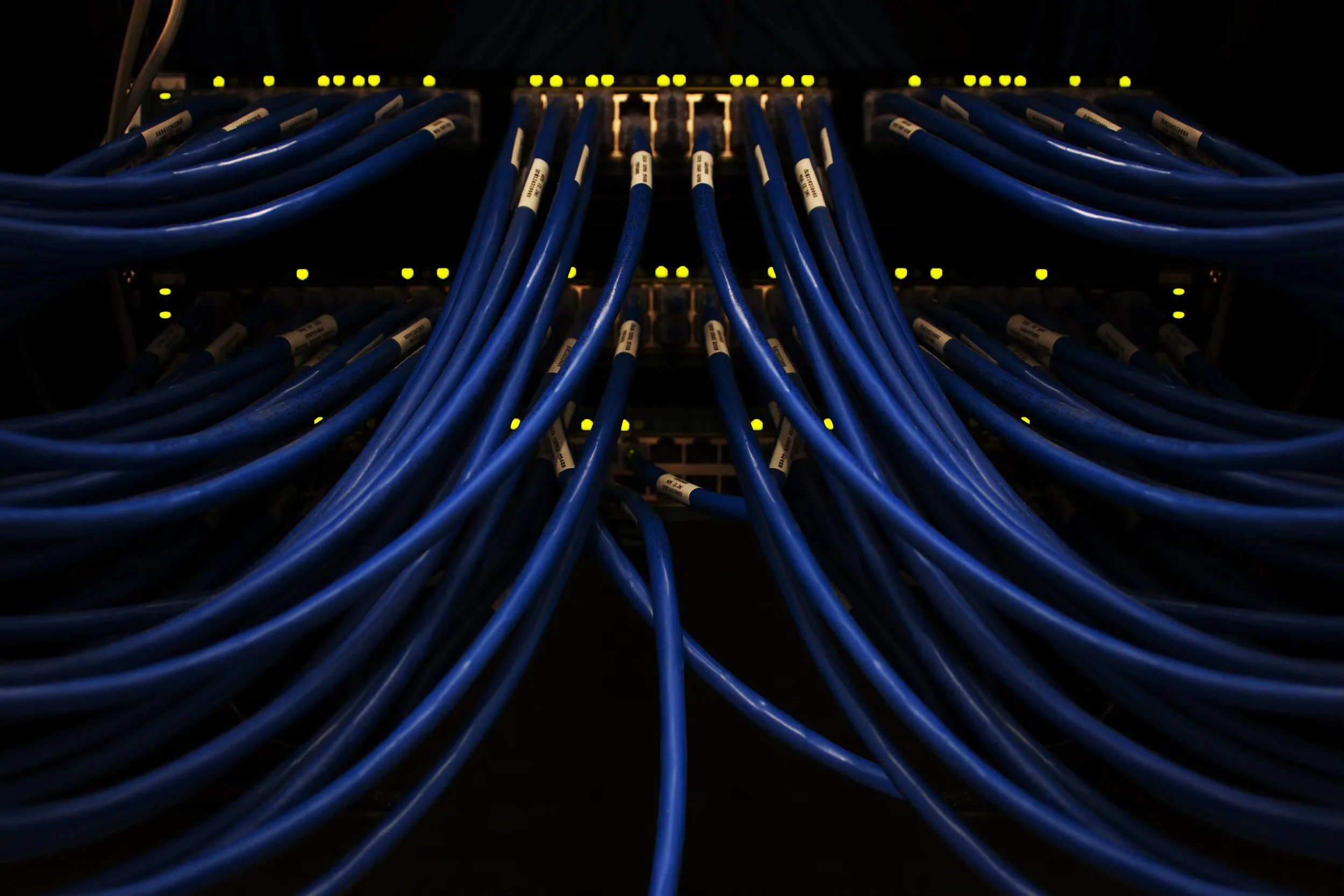
Structured cabling provides the physical foundation for reliable business networks by connecting computers, servers, phones, security cameras, access control systems, and other networked devices through an organized cabling infrastructure. A well-planned structured cabling Toronto installation helps businesses maintain stable connectivity, reduce network disruptions, simplify maintenance, and support future technology requirements. For IT managers and business owners, following structured wiring best practices means selecting the right cables, organizing MDF and IDF rooms, planning cable routes, and ensuring every connection meets applicable standards. Maxemum Security helps commercial businesses establish dependable network infrastructure through professional cabling and security solutions.
What Is Structured Cabling and Why Does It Matter?
Structured cabling is a standardized system of cables, connectors, patch panels, racks, and pathways that work together to support communication across a commercial building. Instead of installing separate, unorganized cables for individual devices, businesses use a structured layout that connects different areas through a central network design.
A properly installed commercial network cabling system supports:
Reliable connectivity: Consistent connections for computers, servers, IP phones, and network equipment.
Simplified troubleshooting: Organized cables and labelled ports make it easier to identify faults.
Efficient maintenance: IT teams can manage connections without disturbing unrelated equipment.
Business continuity: Proper cable selection and installation reduce the likelihood of avoidable network issues.
Technology expansion: Additional devices can be connected through a well-planned infrastructure.
For offices, warehouses, healthcare facilities, retail locations, and multi-floor commercial buildings, structured cabling creates a consistent foundation for daily operations.
Essential Components of a Commercial Structured Cabling System
A structured cabling installation includes several interconnected components. Each serves a specific purpose in delivering reliable network communication.
1. Horizontal Cabling
Horizontal cabling connects telecommunications rooms to work areas, offices, conference rooms, and other device locations. It typically runs through ceilings, walls, cable trays, or approved conduits.
Cat6 and Cat6A are commonly used for horizontal Ethernet cabling. Cat6A is particularly suitable for commercial environments that require 10 Gigabit Ethernet connectivity over copper cabling up to 100 metres, including channel length limits.
2. Fiber Backbone Cabling
Fiber backbone cabling connects the main telecommunications room to intermediate distribution rooms or connects network equipment across floors and buildings.
Fiber is useful for high-bandwidth communication, longer distances, and environments where electromagnetic interference may affect copper connections. Multimode fiber is commonly used for shorter building connections, while single-mode fiber supports longer distances.
3. MDF and IDF Rooms
The Main Distribution Frame (MDF) is the central telecommunications room where the building's primary network connections, core switches, and backbone cabling are typically organized.
Intermediate Distribution Frames (IDFs) serve specific floors, departments, or building zones. They connect local devices to the wider network through backbone cabling.
Proper MDF and IDF rooms should include sufficient space, ventilation, secure access, cable management, power provisions, and room for maintenance.
4. Patch Panels and Network Racks
Patch panels organize incoming cables and provide convenient connection points for network equipment. Network racks hold switches, patch panels, cable management accessories, and other hardware.
These components help IT teams maintain an orderly infrastructure and reduce cable congestion.
5. Work Area Outlets
Work area outlets provide network connection points for computers, printers, IP phones, wireless access points, and other devices.
Their locations should be planned according to office layouts, furniture placement, device requirements, and anticipated changes in workspace use.
Best Practices for Structured Cabling Toronto Installations
A dependable network begins with proper planning and installation. Businesses investing in structured cabling Toronto services should follow established cabling practices to maintain network performance, safety, and long-term usability.
1. Assess Network Requirements Before Installation
Start by identifying the business's current and expected network requirements. IT managers should determine the number of users, connected devices, network equipment locations, and bandwidth needs.
Consider the requirements of:
Desktop computers and laptops
IP phones and video conferencing systems
Wireless access points
Network security cameras
Servers, printers, and storage devices
A detailed assessment helps determine cable quantities, outlet locations, network rack requirements, and the appropriate cabling category.
2. Select the Right Cable Category
Choosing suitable cables is essential for reliable commercial network cabling. Cat6A cabling is frequently preferred for modern commercial networks because it supports 10 Gigabit Ethernet over a full 100-metre channel when installed correctly.
Cat6 may meet the requirements of smaller networks or specific applications, while fiber is appropriate for backbone connections and longer transmission distances.
Avoid selecting cables based only on their initial purchase cost. Consider performance requirements, installation conditions, and the expected service life of the infrastructure.
3. Plan Cable Routes Carefully
Cable pathways should be planned before installation begins. Common routes include ceiling spaces, cable trays, conduits, raised floors, and dedicated telecommunications pathways.
Proper routing helps prevent:
Cable damage from sharp edges
Interference from electrical systems
Congestion in ceiling spaces
Difficult access during maintenance
Unnecessary cable length and connection points
Maintain the required separation between data cables and electrical power wiring according to applicable standards and local regulations. Crossings should be arranged appropriately to minimize interference.
4. Maintain Proper Cable Handling Practices
Cables must be handled carefully during installation. Excessive pulling force, tight bends, crushing, and improper termination can affect network performance.
Follow the manufacturer's bend radius and pulling tension specifications. Use suitable cable supports instead of allowing cables to rest on ceiling tiles or unsupported structures.
For fiber backbone cabling, installers must take additional care to prevent excessive bending, contamination of connectors, and physical damage.
5. Organize MDF and IDF Rooms
MDF and IDF rooms should remain organized, secure, and accessible for IT personnel.
Recommended practices include:
Use dedicated racks for network equipment.
Install patch panels in logical arrangements.
Maintain proper cable management using horizontal and vertical organizers.
Provide suitable ventilation and temperature control.
Keep telecommunications equipment away from water sources.
Restrict access to authorized personnel.
Maintain clear working space around racks.
An organized distribution room helps reduce troubleshooting time and makes network maintenance easier.
6. Label Every Cable and Connection
Cable labeling is one of the most valuable structured wiring practices for commercial facilities.
Each cable should have a unique identification label at both ends. Labels should correspond to the patch panel, telecommunications room, outlet, and connected device.
For example, a label such as IDF-02-PP01-PORT24 can identify a specific connection in an intermediate distribution room.
Use a consistent labeling format throughout the building and maintain an updated cable schedule. This documentation helps technicians identify connections without tracing cables manually.
7. Test and Certify the Installed Cabling
Every installed cable should be tested before the network is placed into service.
Testing helps identify wiring faults, poor terminations, excessive signal loss, and other performance issues. Certification testing verifies that the installed link meets the requirements of its designated cabling category.
For copper cabling, testing may include wire mapping, insertion loss, return loss, and crosstalk measurements. Fiber testing may include continuity, optical loss, and other measurements appropriate to the installation.
Keep the test results with the network documentation for future maintenance and troubleshooting.
Cat6A Cabling vs. Fiber Backbone Cabling
Cat6A cabling and fiber backbone cabling serve different purposes within commercial network infrastructure. The right selection depends on connection distance, bandwidth requirements, equipment compatibility, and installation conditions.
| Feature | Cat6A Cabling | Fiber Backbone Cabling |
|---|---|---|
| Transmission Medium | Copper twisted pair | Optical fiber |
| Common Applications | Workstations, IP phones, access points | MDF-to-IDF links, inter-building connections |
| 10 Gbps Support | Up to 100 metres for a compliant channel | Supported over distances depending on fiber type and optics |
| Electromagnetic Interference | Susceptible to interference | Immune to electromagnetic interference |
| Power Delivery | Supports PoE within applicable limits | Standard fiber does not carry electrical PoE |
| Typical Termination | RJ45 connectors and patch panels | Fiber connectors and optical distribution panels |
| Installation Considerations | Separation, bend radius, termination quality | Bend radius, connector cleanliness, optical loss |
For many commercial buildings, a combination of Cat6A horizontal cabling and fiber backbone cabling provides a practical network design.
Step-by-Step Structured Cabling Installation Process
A professional structured cabling Toronto installation typically follows a defined process to ensure that every component works as intended.
Step 1: Conduct a Site Assessment
Inspect the building layout, ceiling spaces, existing infrastructure, telecommunications rooms, and device locations.
Identify physical restrictions, cable pathways, and areas requiring special installation considerations.
Step 2: Develop the Cabling Design
Prepare a structured cabling plan that includes:
MDF and IDF room locations
Cable routes and pathways
Network outlet locations
Cable types and quantities
Rack and patch panel arrangements
Backbone connections
Labeling and documentation requirements
The design should align with the building's network requirements and applicable cabling standards.
Step 3: Install Pathways and Supporting Infrastructure
Install conduits, cable trays, racks, and other supporting infrastructure before pulling cables.
Ensure that pathways are properly secured and accessible for maintenance.
Step 4: Pull and Terminate the Cables
Install the selected copper and fiber cables through their planned pathways. Terminate copper cables at patch panels and work area outlets. Fiber cables should be terminated using suitable connectors and equipment.
Maintain consistent termination practices throughout the installation.
Step 5: Label and Organize Connections
Label each cable at both ends and organize the connections within the network racks.
Use cable management accessories to prevent tangling and maintain clear access to equipment.
Step 6: Test, Certify, and Document
Test every installed cable and correct any failures before network activation.
Provide the business with cable schedules, outlet maps, test results, rack layouts, and relevant installation records.
Step 7: Activate the Network
Connect the cabling infrastructure to the appropriate switches, routers, and network devices. Verify connectivity at the work areas and confirm that the network performs according to the design requirements.
Common Structured Cabling Installation Mistakes to Avoid
Poor installation practices can lead to network interruptions, expensive repairs, and difficult maintenance.
Some common mistakes include:
Using the wrong cable category: A cable that does not meet bandwidth requirements may limit network performance.
Ignoring cable length limits: Excessive copper channel length can affect Ethernet performance.
Overcrowding cable pathways: Congested pathways make maintenance difficult and can increase the risk of cable damage.
Skipping cable labels: Unidentified cables create unnecessary troubleshooting challenges.
Poor MDF and IDF room planning: Insufficient space, ventilation, or cable management can complicate equipment maintenance.
Failing to test connections: Untested cabling may contain faults that become apparent only after network activation.
Neglecting documentation: Missing records make future network changes more difficult.
Avoiding these mistakes helps businesses maintain reliable network infrastructure throughout the building.
How Structured Cabling Supports Business Security Systems
Structured cabling also supports many commercial security technologies. IP cameras, access control panels, network video recorders, and other security devices rely on dependable communication infrastructure.
For example, Cat6A cabling can support high-bandwidth security cameras, while fiber backbone cabling can connect security equipment across different floors or buildings.
Maxemum Security provides commercial security solutions in Toronto that can include security cameras, access control, alarms, and network security. Coordinating network cabling with security system installation helps businesses establish organized connectivity for their operational and security requirements.
A coordinated design also helps IT managers identify network locations, device connections, and infrastructure requirements before installation begins.
Frequently Asked Questions About Structured Cabling Toronto
What is structured cabling used for in a commercial building?
Structured cabling connects computers, servers, IP phones, security cameras, wireless access points, and other network devices through an organized infrastructure. It supports reliable communication and simplifies network maintenance.
Is Cat6A cabling better than Cat6 for businesses?
Cat6A cabling supports 10 Gigabit Ethernet over a 100-metre channel and provides greater alien crosstalk performance than Cat6. Cat6 may be sufficient for certain applications, but Cat6A is often suitable for commercial networks with higher bandwidth requirements.
How long can structured cabling last?
A properly installed and maintained structured cabling system can remain in service for many years. Its useful life depends on cable quality, installation conditions, environmental factors, and changing network requirements.
What is the difference between MDF and IDF rooms?
The MDF is the main telecommunications room that serves as the central network distribution point. IDF rooms are intermediate distribution locations that connect specific floors or areas to the main network through backbone cabling.
Does structured cabling support security cameras and access control?
Yes. Structured cabling can support IP security cameras, network video recorders, access control devices, and other connected security equipment. The cable category, network design, and power requirements must match the devices being installed.
Why should businesses hire professional structured cabling installers in Toronto?
Professional installers can assess building layouts, select suitable cable types, plan pathways, terminate connections, test performance, and provide documentation. Proper installation helps reduce network faults and supports long-term infrastructure maintenance.
Build a Reliable Business Network With Proper Structured Cabling
Reliable business connectivity begins with an organized and correctly installed cabling infrastructure. From Cat6A cabling and fiber backbone cabling to properly maintained MDF and IDF rooms, every component contributes to network performance, accessibility, and operational reliability.
Businesses planning structured cabling Toronto installations should prioritize accurate network planning, suitable cable selection, careful installation, consistent labeling, and comprehensive testing. These practices help IT managers maintain dependable connections while supporting the communication and security systems used across commercial facilities.
Maxemum Security can help businesses assess their commercial security and network infrastructure requirements. Request a security consulation to discuss your facility's cabling and security needs and plan an installation that supports reliable business operations.
