
7 Factors That Affect Commercial Security Camera Image Quality
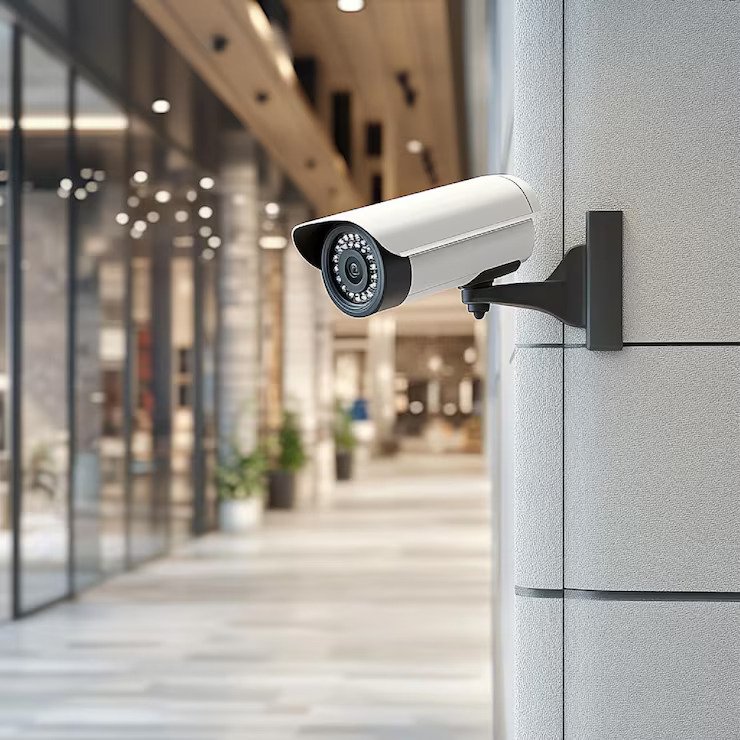
Clear security footage depends on more than buying a camera with a high megapixel count. Commercial security camera resolution, lens quality, lighting, camera placement, sensor performance, compression, and storage settings all affect the detail a business can capture and review. A camera may advertise 4K video, yet poor lighting or an unsuitable lens can still produce footage that lacks useful detail. Maxemum Security helps businesses assess these factors so their CCTV upgrades are based on actual surveillance needs rather than resolution numbers alone.
For businesses upgrading CCTV, the right camera should produce clear footage at the locations and distances that matter most. A reception desk, parking lot, warehouse entrance, and cash counter can require very different camera specifications. Understanding the seven factors below makes it easier to choose equipment that delivers reliable footage.
1. Camera Resolution Determines Available Detail
Resolution refers to the number of pixels used to create a video image. More pixels can provide greater detail, but resolution alone does not guarantee clear footage.
Common security camera resolutions include:
1080p: Suitable for many basic indoor monitoring applications.
4MP: Provides more detail than standard 1080p and can suit many commercial areas.
5MP: Offers additional image detail for entrances, work areas, and larger spaces.
4K or 8MP: Useful when businesses need more detail or want to digitally crop footage.
Higher resolution can be useful for identifying faces, reading signs, monitoring transactions, or reviewing activity across a wider area. However, the required resolution depends on the camera's viewing distance, lens, lighting, and intended purpose.
A high-resolution camera positioned too far from the subject may still produce footage where important details are difficult to identify. This is why businesses should evaluate the complete camera setup instead of selecting equipment based only on the largest resolution number.
2. Lens Selection Changes What the Camera Can See
The lens controls the camera's field of view and how large subjects appear in the recorded image.
A wide-angle lens can cover a large area, making it useful for open rooms, retail floors, and general monitoring. However, spreading the available pixels across a very wide scene can reduce the amount of detail visible on individual subjects.
A narrower lens can place more visual attention on a specific entrance, doorway, loading area, or payment counter. The trade-off is a smaller field of view.
Before selecting a camera, consider:
The distance between the camera and the area being monitored.
The width of the area that needs coverage.
The level of detail required.
The height and angle of installation.
The size and movement of the subjects being recorded.
The right lens and camera combination can provide more useful CCTV image clarity than simply increasing resolution.
3. Lighting Has a Major Effect on Image Quality
Even a high-resolution camera can struggle in poor lighting. Dark areas, bright windows, headlights, reflections, and uneven illumination can reduce visible detail.
Businesses should examine the lighting conditions at each installation point during the times the cameras will operate. A camera inside a brightly lit office has different requirements from one monitoring a parking lot at night.
Features such as wide dynamic range, infrared illumination, and low-light image processing can improve performance in challenging conditions.
Wide Dynamic Range (WDR) helps a camera handle scenes containing both very bright and very dark areas. This can be useful near entrances where daylight enters through glass doors while the interior remains comparatively dark.
For night monitoring, infrared capability can help produce usable footage without visible lighting. Colour information may also be important in some applications, so businesses should review how the selected camera performs in both daytime and nighttime conditions.
4. Sensor Quality Affects Detail in Difficult Conditions
The image sensor converts incoming light into the digital image recorded by the camera. Sensor size and performance can influence detail, noise, colour reproduction, and low-light performance.
Two cameras with similar resolution specifications can produce noticeably different footage because their sensors and image-processing systems differ.
A quality sensor can help maintain useful detail in low-light environments and reduce excessive image noise. This matters for businesses that need consistent footage throughout the day and night.
Sensor performance should therefore be considered alongside resolution. A camera with a lower resolution but strong low-light performance may produce more useful nighttime footage than a higher-resolution camera that struggles with darkness.
5. Camera Position Can Make or Break Footage
Installation height, viewing angle, distance, and orientation directly affect what appears in the recorded image.
A camera mounted too high may provide a broad overview but capture faces from an angle that makes identification difficult. A camera pointed toward a strong light source may also produce silhouettes instead of usable facial detail.
For entrances and access points, cameras should be positioned so important subjects remain visible as they approach or pass through the area. For retail and warehouse spaces, the camera angle should provide sufficient coverage without leaving large blind spots.
During a CCTV upgrade, businesses should review:
Mounting height
Viewing direction
Distance from important areas
Possible obstructions
Light sources
Expected subject movement
Areas that may become blind spots
Good placement allows the selected resolution and lens to work effectively.
6. Compression Can Reduce Fine Detail
Security cameras compress video to reduce the amount of storage and network bandwidth required. Compression is useful, but aggressive compression can remove fine image details.
Small details such as facial features, text, clothing patterns, and vehicle characteristics can become harder to distinguish when footage is heavily compressed.
Businesses should consider the camera's video codec, bitrate, frame rate, and recording settings as part of the overall system design.
Higher bitrate settings generally preserve more image information, but they also require additional storage and network capacity. The goal is to select recording settings that maintain useful detail without creating unnecessary storage demands.
This becomes particularly important for businesses that retain footage for extended periods. Storage capacity should be calculated using the number of cameras, resolution, frame rate, bitrate, recording schedule, and retention period.
7. Frame Rate and Movement Affect Recorded Detail
Resolution describes the amount of spatial detail in an image, while frame rate determines how frequently images are captured.
A higher frame rate can make moving subjects appear smoother and can provide more individual frames for reviewing fast activity. This can be useful in locations such as entrances, loading areas, parking facilities, and retail environments.
For relatively static areas, a lower frame rate may be sufficient. Areas with frequent movement may benefit from higher frame rates.
Businesses should match frame rate to the activity being monitored rather than automatically choosing the highest available setting. Higher frame rates also increase storage and bandwidth requirements.
HD vs 4K Security Cameras
The choice between HD and 4K should depend on the surveillance task rather than resolution alone.
| Factor | HD Cameras | 4K Cameras |
|---|---|---|
| Image Detail | Suitable for general monitoring | Higher level of visible detail |
| Storage Needs | Generally lower | Generally higher |
| Bandwidth Use | Generally lower | Generally higher |
| Digital Zooming | More limited | More useful when footage has sufficient detail |
| Large Areas | May require more cameras | Can provide more detail across a wider view |
| Cost Considerations | Often lower system requirements | May require greater storage and network capacity |
4K can be useful for areas where businesses need greater detail, but it is not automatically the right choice for every camera location. A well-positioned HD camera can be more useful than a poorly positioned 4K camera.
How to Choose the Best Camera Resolution
The best camera resolution depends on what the business needs to see, how far away the subject will be, and the conditions surrounding the camera.
A practical selection process starts with the surveillance objective.
For general monitoring
1080p or similar HD resolution may be suitable for observing activity in offices, hallways, and other areas where fine identification is not the primary requirement.
For entrances and access points
Higher resolution can help businesses capture more detail around faces, uniforms, packages, and other identifying features. Lens selection and camera positioning remain equally important.
For parking lots and outdoor areas
Resolution should be considered alongside nighttime performance, WDR, weather resistance, lens selection, and mounting position.
For cash handling areas
The camera should provide sufficient detail for reviewing transactions and activity around the point of sale. Positioning is particularly important because the camera needs a useful view of the relevant area.
For warehouses
A wider field of view may be useful for general activity, while narrower views can provide greater detail at loading doors, inventory areas, or restricted entrances.
A Practical Checklist for CCTV Upgrades
Before purchasing new cameras, businesses can review these questions:
What specific activity needs to be recorded?
How far is the camera from the subject?
How much area must one camera cover?
Is the location indoors or outdoors?
What lighting conditions exist during the night?
Is facial or object identification required?
How much storage is available?
What network bandwidth can support the cameras?
How long must recordings be retained?
Are moving subjects common in the area?
Will the camera face windows, headlights, or other bright sources?
Does the mounting position provide a useful viewing angle?
Answering these questions helps prevent a common CCTV upgrade problem: paying for higher resolution without improving the footage that matters.
Why Image Quality Should Be Assessed as a System
Security camera performance depends on more than the camera itself. Resolution, lens selection, sensor quality, lighting, positioning, compression, frame rate, network capacity, and recording settings all contribute to the footage a business can review after an incident.
Cameras also work as part of a wider commercial security setup. Access control can show who entered a restricted area, intrusion detection can identify unauthorized activity, and video surveillance can provide visual evidence of what happened. For a broader look at how these technologies work together, read our guide to the 4 essential commercial security system components every business needs.
A useful CCTV evaluation should focus on actual footage rather than product specifications alone. Looking at sample images under similar lighting and viewing conditions can reveal differences that are not obvious from a specification sheet.
For businesses upgrading CCTV, this system-level approach helps ensure that camera resolution supports the wider security objectives instead of being selected as an isolated specification.
Common Mistakes Businesses Make
Several purchasing decisions can reduce the value of a CCTV upgrade.
Choosing cameras based only on megapixels: Resolution is useful, but it does not compensate for poor positioning, lighting, or lens selection.
Using the same camera everywhere: Different areas often have different surveillance requirements.
Ignoring nighttime performance: A camera that performs well during daylight may produce less useful footage after dark.
Overlooking storage requirements: Higher resolution and frame rates can significantly increase storage consumption.
Installing cameras too high: A broad view is not always the same as an identifiable view.
Using excessive digital zoom: Digital zoom cannot create image detail that was never captured by the camera.
Frequently Asked Questions
What is a good resolution for commercial security cameras?
1080p can work for general monitoring, while 4MP, 5MP, or 4K cameras may be appropriate where more detail is required. The right choice depends on viewing distance, lighting, lens selection, and the surveillance objective.
Is 4K worth it for business security cameras?
4K can be useful for locations that require greater image detail, large-area monitoring, or useful digital cropping. Businesses should also account for higher storage and bandwidth requirements.
Does higher resolution always mean better CCTV footage?
No. Higher resolution provides more pixels, but image quality also depends on the lens, sensor, lighting, camera placement, compression, and recording settings.
What affects CCTV image clarity the most?
Several image quality factors work together. Lighting, camera positioning, lens selection, sensor performance, resolution, compression, and movement can all affect the clarity and usefulness of recorded footage.
How far can a security camera clearly see?
There is no single distance that applies to every camera. The effective viewing distance depends on resolution, lens focal length, sensor performance, lighting, installation height, and the level of detail required.
Should businesses use 4K cameras for every location?
Not necessarily. A business may benefit from using different camera specifications across different areas. Higher-resolution cameras can be reserved for locations where additional detail is genuinely useful.
Choose Cameras Based on the Evidence They Need
A successful CCTV upgrade is not simply a matter of selecting the highest available resolution. The right combination of resolution, lens, sensor, lighting performance, camera position, compression, and frame rate determines how useful recorded footage will be.
Businesses should begin with the areas they need to monitor and the details they may need to identify later. From there, camera specifications can be matched to each location. This approach can produce clearer footage while helping businesses avoid paying for specifications that do not improve their surveillance objectives.
For professional guidance on camera selection, placement, and system design, businesses can contact us to discuss their CCTV requirements. A properly planned system can provide dependable footage that is easier to review when an incident needs investigation.
